
Mounting a TV in a ranch-style living room
Pick a wall perpendicular to the big windows, lag the mount into two studs, keep the screen center near eye level, and hide cords with a rated in-wall kit or a raceway. Check the stud spacing with a finder first, since some ranch walls have 24-inch spacing.

A ranch-house living room is usually long, low and open, with a big front window, a fireplace or a wall shared with the hallway, and often a sliding door out to the backyard.
Rosemead has a lot of these houses, many from the 1950s, and anyone mounting a TV in one faces the same few questions: which wall, how high, how to find solid framing, and what to do with the cords.
This guide walks through those decisions, what you can figure out before we arrive, and what our mounting visit involves.
Picking the wall
Low ceilings in many ranch houses, often around eight feet, mean there is less room to mount high, which is actually a good thing for viewing comfort. The bigger question is glare. A TV facing a big picture window or sliding glass door will show reflections much of the day. The best wall is usually perpendicular to the main window.
Look for interior walls. These typically have drywall over wood studs and are simplest to mount on. Exterior walls also work but may have insulation and sometimes stucco lath behind them, and more of them have windows to work around.
Finding the studs
Ranch homes were framed with wood studs, usually spaced 16 inches on center, though older houses can be irregular. A stud finder helps, and you can confirm by finding outlets and switches, which are usually mounted to the side of a stud.
Most TV mounts are designed to lag into two studs. If your ideal TV position does not line up with studs, wider mounts and mounting plates let you shift the TV left or right while still landing on framing.

Viewing height
A comfortable rule is to have the center of the screen close to eye level from your usual seat. In a living room with a typical sofa, that often puts the center somewhere around 40 to 45 inches above the floor, slightly higher for larger screens and taller seating.
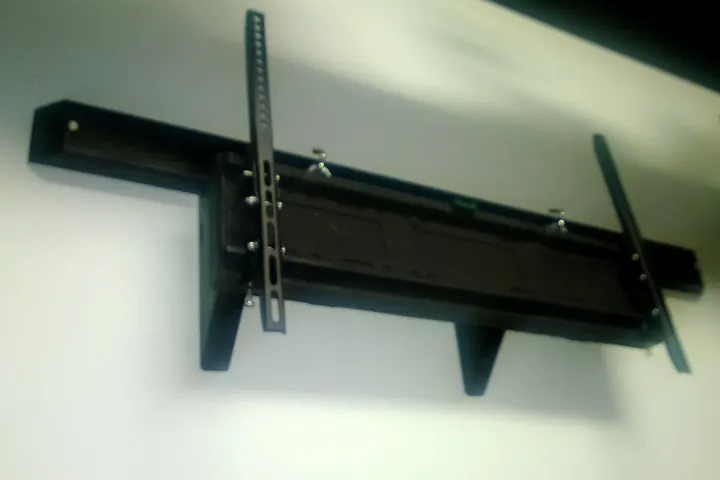
Many people mount too high; it is worth sitting down and holding a piece of cardboard at the planned spot before drilling.
Hiding the cords
Your options depend on the wall:
- Interior walls often allow an in-wall cable kit, a recessed power and cable plate behind the TV connected inside the wall to a matching plate near the floor, using a kit designed and rated for in-wall power.
- Exterior walls with insulation can be harder to fish through but are often possible.
- Brick fireplaces need a surface raceway, painted to match.
Patio and garage TVs
Many Rosemead backyards have a covered patio, and outdoor TVs are popular. Mounting on stucco takes masonry bits and the right fasteners into framing behind the stucco. Outdoor TVs or covers built for the weather last much longer than indoor sets, and the outlet feeding them should be GFCI protected with a weather-resistant cover. Garage TVs often go on exposed studs or drywall and are straightforward.
What you can do before we arrive
- Measure the TV and check its weight and VESA pattern, the hole spacing on the back
- Choose a fixed, tilting or full-motion mount, or let us bring one
- Pick the wall and sit where you watch to decide the height
- Clear the area, move furniture, and set aside the TV remote and cables
How we mount a TV on ranch-house walls
We locate studs and confirm them, check for wiring and plumbing behind the wall in the area we drill, and mark the mount position level and at your chosen height. The mount gets lagged into studs with the hardware rated for the load. On stucco or masonry, we use the right anchors and drilling methods for the material.

We hang the TV, check that it is level and secure, and lock it to the mount. Cords are routed using the method you chose, and we test the TV and any connected devices. We patch and touch up any small marks before leaving.
See our mounting and assembly page for more, including sound bars, shelves and media consoles.
Earthquake considerations
Rosemead sits in earthquake country, close to the 1987 Whittier Narrows epicenter. A wall-mounted TV that is properly lagged into studs is far more secure than one on a stand. If yours stays on a console, use a TV strap kit to tie it to the wall or furniture, and strap the console itself to the wall. We can install both.
Long rooms and seating distance
Ranch living rooms often run the full depth of the house, and people sometimes sit farther from the screen than they realize. Before buying a bigger TV for a long room, measure from the couch to the wall.
A larger screen helps at a distance, but a better fix can be placing the TV on the wall nearest the seating group rather than at the far end of the room.
If the room combines living and dining areas, a full-motion mount on a side wall can swing the screen toward whichever space is in use.
Sound bars and accessories
A sound bar mounted directly under the TV, a small shelf for a cable box or streaming device, and a cable cover along the baseboard all make a finished install. If you want those, mention it when you book so we bring the brackets and hardware for all of them.
Text a photo of your wall and your TV model to (310) 628-9399 for a quote.
When you want it done for you, our mounting and furniture assembly page lists the jobs we take and what to send for a quote. More on the houses themselves: repair notes for postwar Rosemead homes.
Need a hand with this?
Call or text (310) 628-9399, Mon–Sat 8:30 AM–7 PM. A photo is usually enough for a free estimate.
Call or text for a free estimate